
7 best chiropractic EHR software in 2026

Specialized chiropractic Electronic Health Record (EHR) software helps doctors and clinicians deliver high-quality patient care.
These platforms have dedicated macro-driven Subjective, Objective, Assessment, and Plan (SOAP) note templates that allow chiropractors to document subluxations and adjustments accurately.
Additionally, a chiropractic EHR aggregates a patient’s treatment data over time and presents it in a visual format, which is essential as care plans can span weeks or months.
Other features include imaging & lab integration, integrated care plans, compliance & billing, and self-service patient portals, which make these software solutions key for delivering personalized care.
In this article, let’s look at seven of the top chiropractic EHRs you can consider today for your practice.
Key takeaways:
- Eclipse EHR is best for DCs who want a chiro-built platform trusted for decades, standing out from alternatives with a purpose-built SOAP system and top-rated customer support that keeps offices running without any headaches.
- ChiroTouch is a good fit if you'd rather talk than type your notes, since its Rheo AI assistant turns conversations into compliant SOAP charts in seconds.
- ChiroFusion works well for budget-conscious clinics that still want a full feature set, including sub-minute SOAP notes and a live KPI dashboard.
- Jane App is ideal for clinics blending chiropractic with other allied-health services, backed by a 10,000+ community template library and polished online booking.
- ChiroHD suits franchise and multi-location groups that need flat, predictable pricing, plus cross-office dashboards and a dedicated patient self-service app.
- ChiroSpring is best for chiropractors who want AI baked into daily workflows, paired with an Advanced Spine visual chart to capture listings inside SOAP notes.
- Atlas Chiropractic System is a strong pick for high-volume clinics fighting patient drop-off, thanks to its Patient Safety Net™ retention system and fast Dot Notes charting.
What to look for when choosing the best chiropractic EHR software
Fundamentally, you need features that will help you simplify your day-to-day operations when treating patients in your chiropractic clinic. These may include:
- Long-term stability and reliability: This should be your top priority because the last thing you want is a chiropractic EHR that crashes mid-appointment or becomes out-of-service, deleting your crucial patient data and disrupting your practice.
- Fast, chiro-specific SOAP notes: You should be able to document an adjustment or visit details in under a minute. Things like customizable chiropractic templates and point-and-click anatomical macros will help you here.
- End-to-end practice management: Your clinical documentation, patients’ in-clinic experience, daily calendar scheduling, and financial workflows should have a single source of truth.
- Chiropractic billing and coding: EHRs that are pre-loaded with the latest Current Procedural Terminology (CPT) and International Classification of Diseases, 10th Revision (ICD-10) codes will minimize claim denials and audit risks.
- Imaging & visual outcome tracking: The chiropractic EHR should enable you to compare and annotate X-rays, MRIs, and other posture scans, and turn data (like range-of-motion angles) into progress graphs.
- Patient engagement tools: A platform with a self-service patient portal where your patients can schedule appointments, review their data, confirm bookings, and fill intake forms will help you deliver better chiropractic care.
- Cloud-based, device-agnostic: This may appear minor, but it gives you the flexibility and scalability to grow your practice. You or your staff can use computers and mobile devices to collect data more effectively and deliver better care.
- Proactive customer support: Last, but not least, you need a team that will solve technical issues quickly rather than ghosting you or pointing you toward a help doc.
How we made this list of chiropractic EHR software
To ensure we cover a wide range of chiropractic EHR solutions within the niche, we started by analyzing top editorial guides from authoritative publications in the medical industry. It revealed the platforms that consistently made it into every list.
From there, we dug into the features of each tool to confirm they fit the specific needs of chiropractic practices before shortlisting the final eight.
Next, we collected pricing details for every tool on the list, including base plans and common add-ons from their original site to ensure accuracy.
It still lacked one final thing: user reviews.
For that, we visited third-party review sites to see what chiropractors are actually saying about each platform during daily use. These verified pros and cons, along with the above pointers, will give you the insights required to pick the right one.
7 Best chiropractic EHR software for growing practices
Every tool below solves a slightly different problem, so the right chiropractic EHR software for you depends on your practice size, workflow, and growth stage. If you're in a hurry, here's a quick overview before we dive into the details
Note: This is a curated list. The tools aren't ranked in any particular order.
Table summarizing 7 top EHR platforms chiropractors can consider for their practice in 2026.
1. Eclipse EHR
Eclipse EHR is best for: New and established chiropractic and multidisciplinary practices that want a stable, all-in-one EHR platform with fast and accurate SOAP charting.
Eclipse EHR is by far the best chiropractic EHR software you can consider in 2026. It has been helping Doctors of Chiropractic (DCs) for over 40 years take SOAP notes, manage patient profiles, automate billing & insurance claims, and communicate with patients.
One of the primary reasons it is such a powerful option is because it was built by a chiropractor who was fed up with the existing solutions at the time. The chiro-first approach has made it the go-to choice for many DCs who have been using it for multiple decades.
Eclipse EHR’s key features
- Chiropractic-born platform with a customizable "3rd-generation" SOAP system using templates, macros, and AI-assisted note drafting
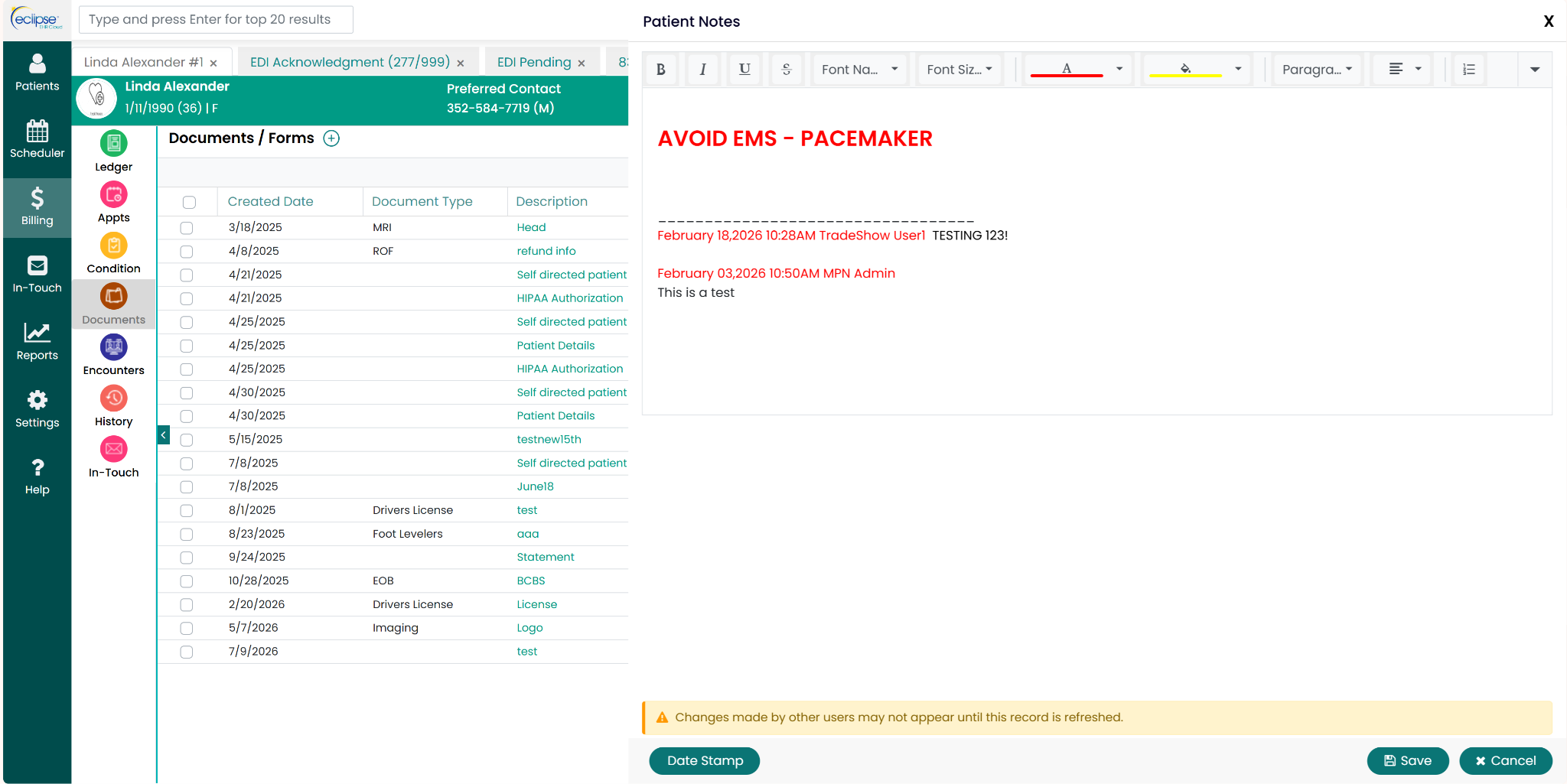
- Case management under a single patient ID to treat multiple concurrent cases (e.g., workers' comp and auto accident) separately
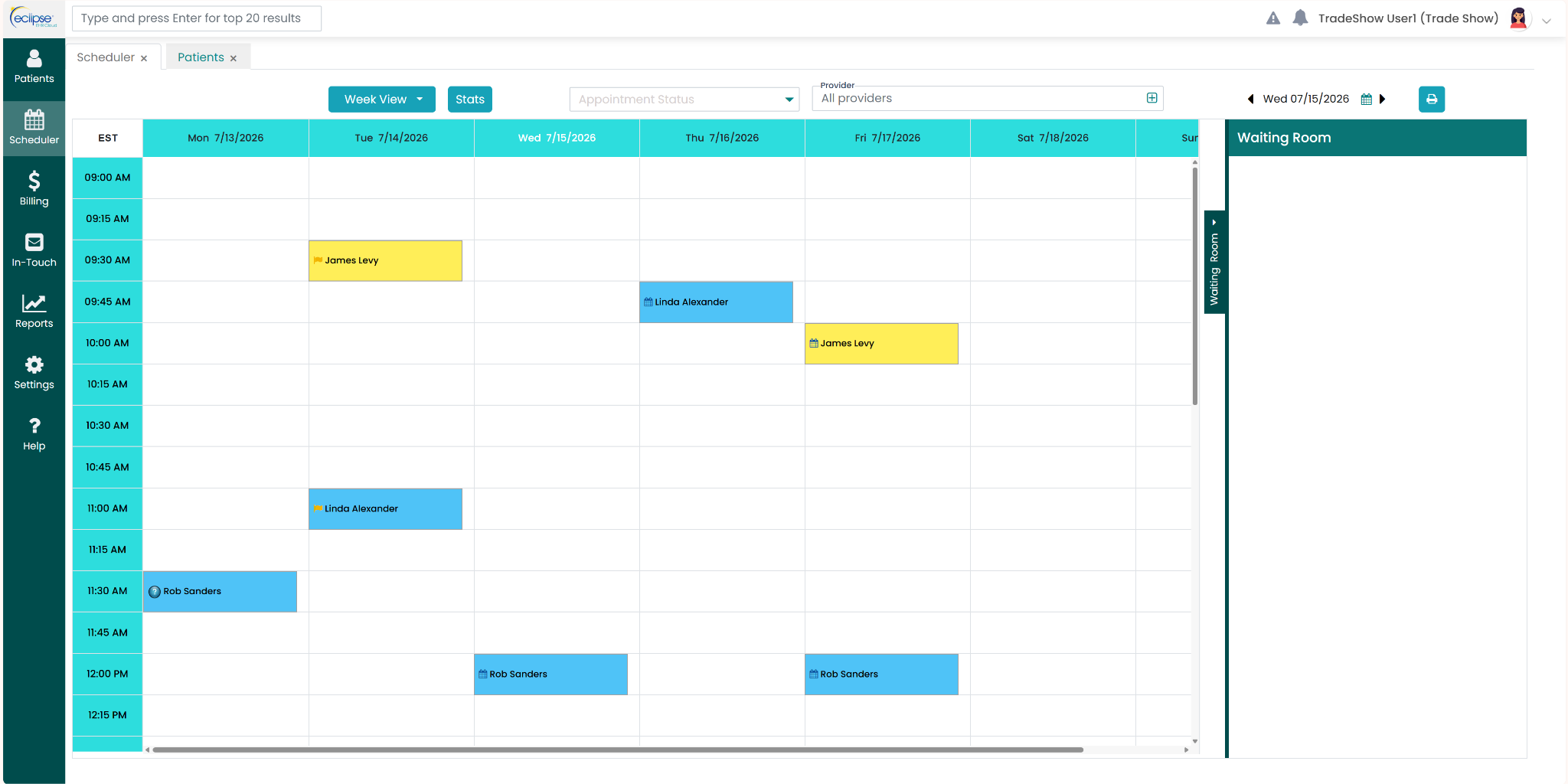
- Real-Time Data Flow (RTDF) so authorized staff see charts, notes, billing, and room-status changes instantly across the office
- Certified HIPAA-compliant electronic claim submission and remittance with integrated clearinghouse support for Alveo, Carisk, Infinedi, and NCMIC
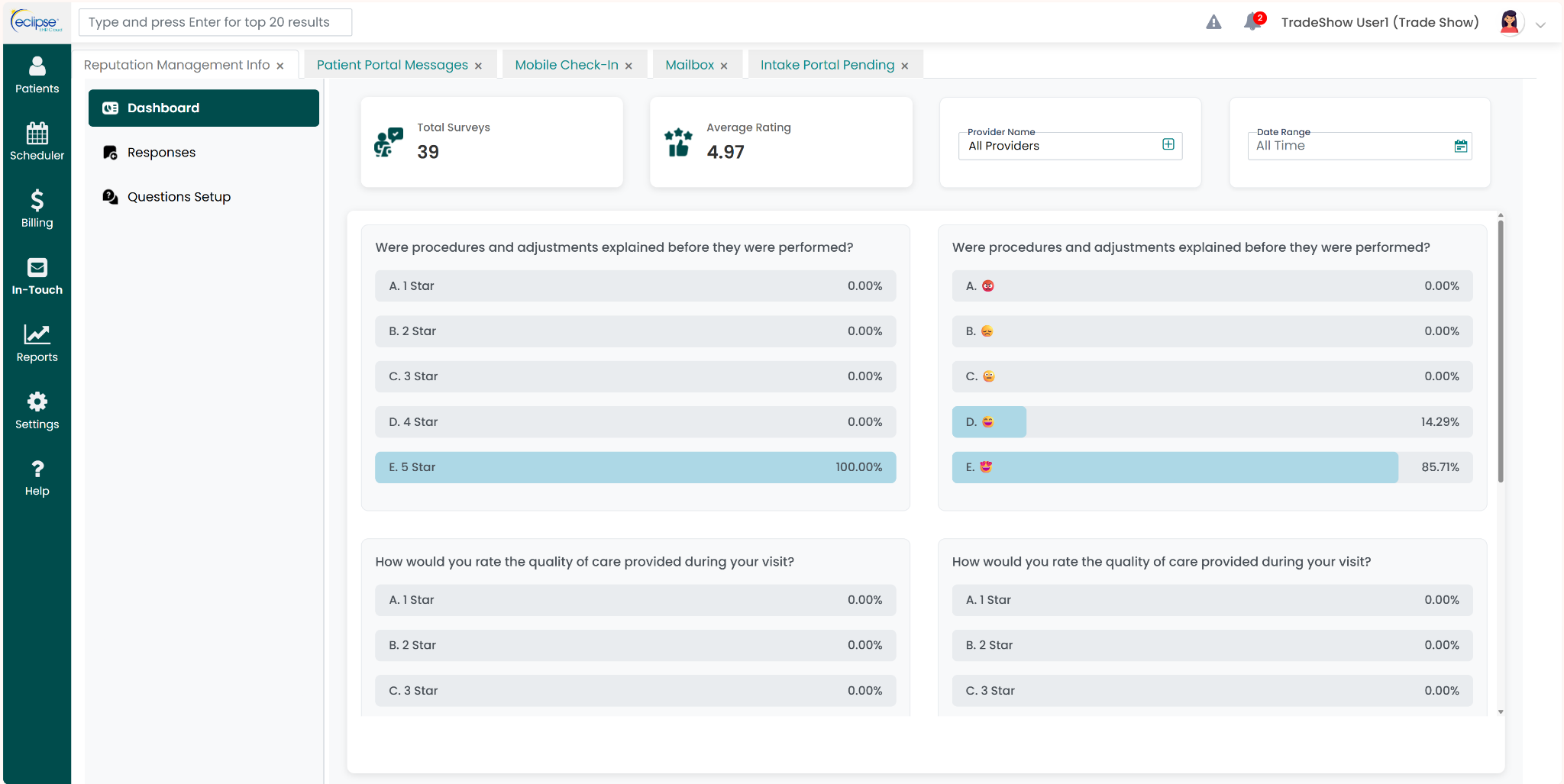
- Built-in patient engagement suite with two-way texting, automated reminders and billing, reputation management, and an AI help bot
Eclipse EHR’s pros
- Extremely stable, mature platform of roughly 40 years with reliable SOAP note-taking, patient documentation, billing, scheduling, and reporting
- Highly responsive and knowledgeable US-based customer support
- Frequent updates keep it ahead of healthcare regulations, coding, and billing changes
- Free 1:1 customer training during onboarding and a library of how-to videos for self-paced learning
Eclipse EHR’s cons
- Does have a learning curve, but the company offers 1:1 free training during onboarding
Eclipse EHR’s pricing
The core package starts at $99 per month. The package includes essential features that help with practice management, macros-based SOAP note-taking, patient intake, and billing.
You will also get advanced capabilities like patient communication & engagement, reputation management, and Electronic Data Interchange (EDI) private clearinghouse auto-import/export as add-ons, making it a complete platform.
2. ChiroTouch
ChiroTouch is best for: Chiropractic practices that value AI-powered documentation and hands-free voice-driven SOAP notes.
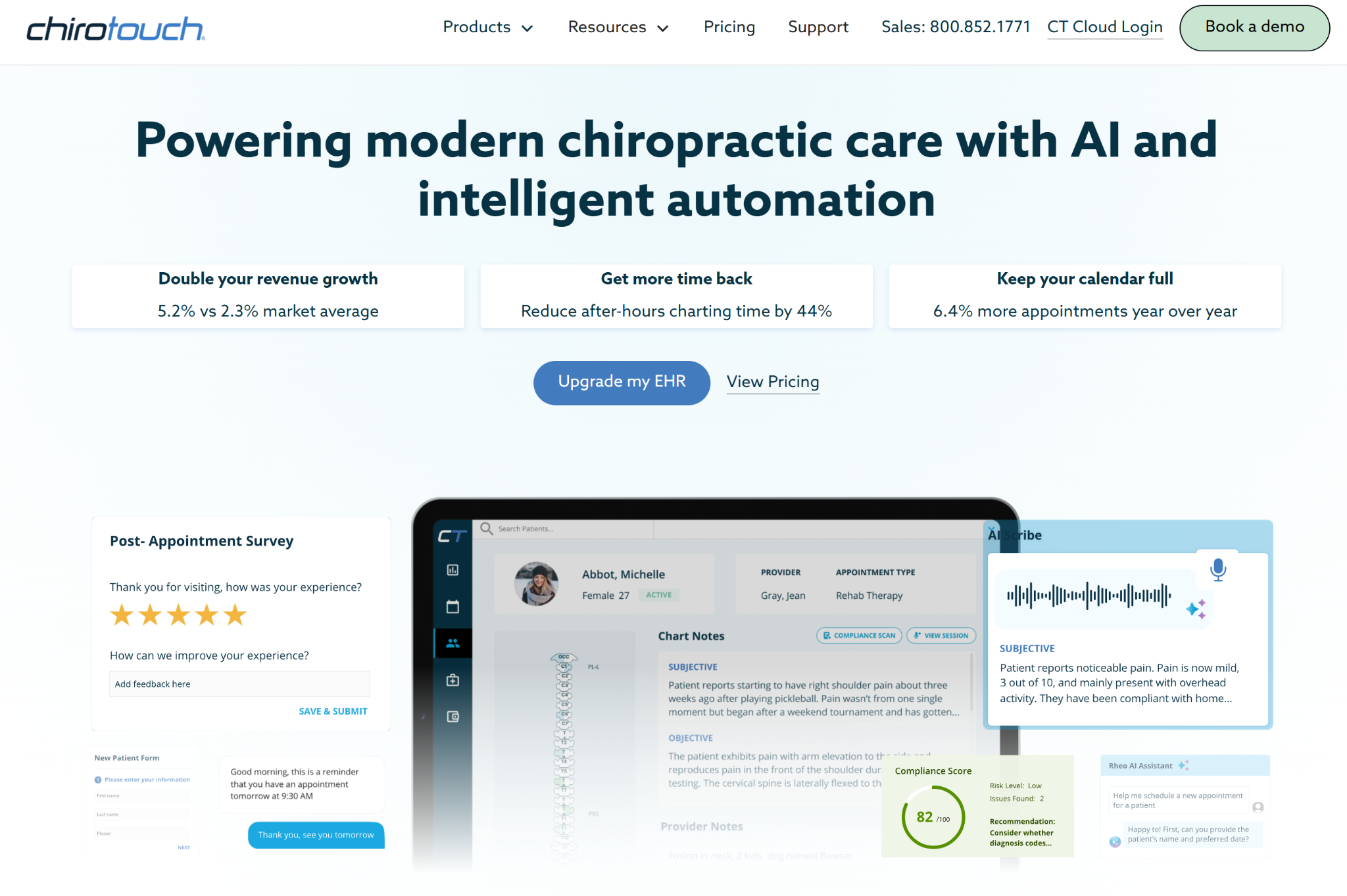
ChiroTouch's EHR and practice management software offer comprehensive features that help chiropractors with scheduling, billing, patient engagement, and charting.
One of its key features is the Rheo AI assistant, which automates compliance scans and delivers hands-free, conversational AI SOAP notes.
ChiroTouch's key features
- Customizable SOAP templates and a macro library that enables roughly 15-second compliant notes
- Rheo AI assistant handles voice-to-chart documentation, intake summarization into SOAP-ready notes, and patient progress summaries
- Integrated scheduling, patient management, patient portal, and CT Pay embedded payments
- Insurance billing add-ons through Billing Suite plus clearinghouse via CT ProClear/Trizetto or CT MaxClear/Change Healthcare, with claim scrubbing, eligibility, and ERA auto-posting
- Multi-location support, automated reminders, two-way texting, and reputation and recall tools
ChiroTouch's pros
- Comprehensive EHR covering scheduling, SOAP, billing, claims, and reporting in one place
- Customizable SOAP notes and macros that save significant daily charting time
- Strong onboarding and generally helpful support representatives
ChiroTouch's cons
- Sometimes loads slowly, especially when producing EOD reports for clinics
- Buggy billing feature that has led to a DC ditching the service
ChiroTouch's pricing
ChiroTouch uses a tiered subscription with three packages called Start, Grow, and Scale. Every plan includes AI core features, guided onboarding, and unlimited support. You need to contact their sales team or book a demo to get accurate pricing details.
3. ChiroFusion
ChiroFusion is best for: Practitioners looking for an easy-to-use, feature-rich EHR solution.
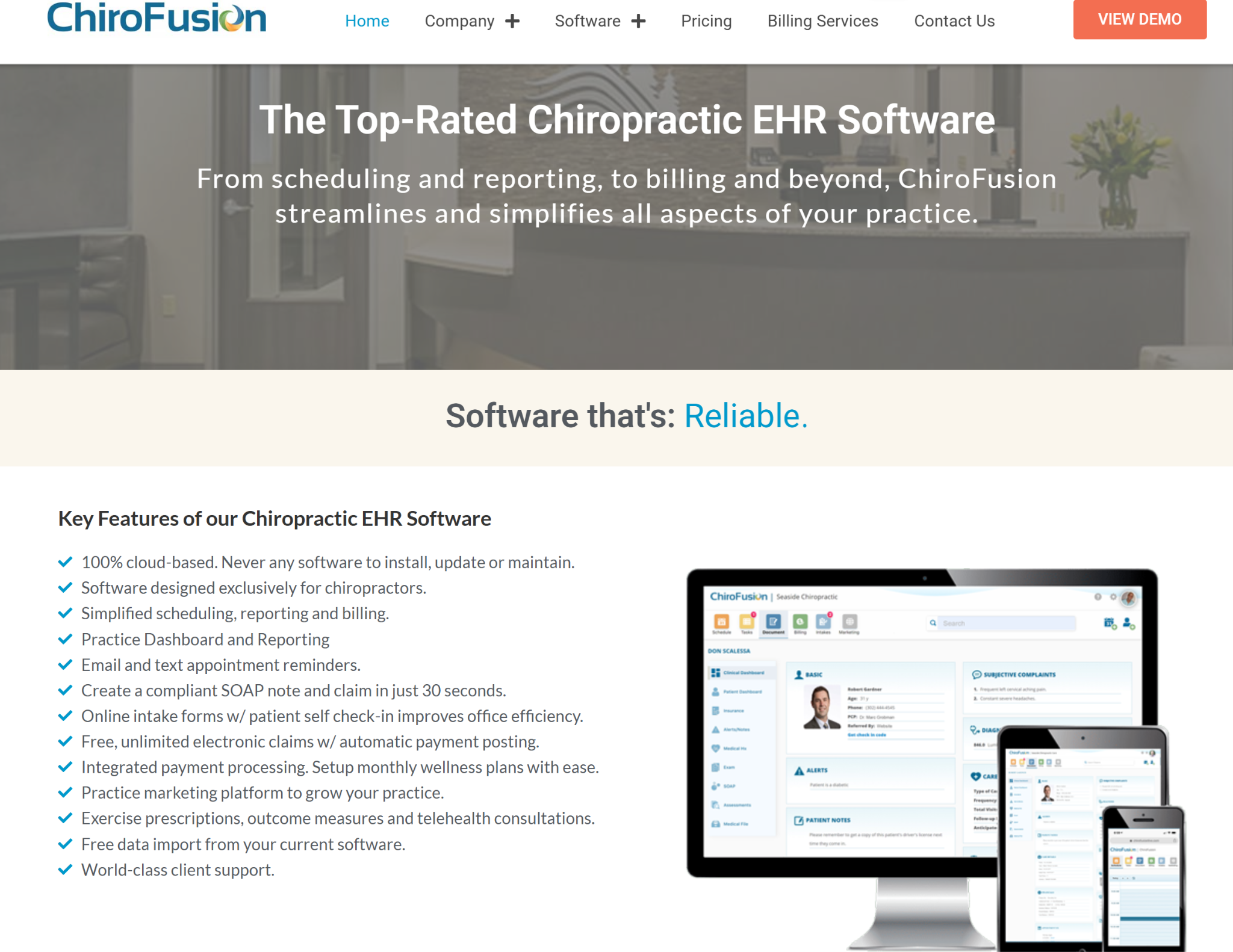
ChiroFusion helps DCs with everything from scheduling appointments to identifying billing errors. The platform positions itself as an affordable solution due to its large feature set.
It comes with a SOAP note creation tool that allows chiropractors to create new notes in under a minute and a Dynamic Dashboard to track patients in real-time.
ChiroFusion's key features
- 100% cloud-based EHR for practitioners, featuring SOAP notes and customizable macros and templates
- Integrated scheduling with color-coded appointment types plus automated email and text appointment reminders
- Built-in billing and Revenue Cycle Management (RCM) including Electronic Remittance Advice (ERA) posting through clearinghouse partner Office Ally
- Online patient intake forms, self-check-in, integrated payment processing, and a real-time KPI practice dashboard
ChiroFusion's pros
- Affordable and strong value for the cost with no huge contract or on-site server
- Easy to learn and train, and genuinely chiropractic-focused and user-friendly
- Responsive, helpful customer support with thorough onboarding
- Free data migration to streamline operations during software transition
ChiroFusion's cons
- Hiked prices despite assuring a chiropractor that the prices will remain the same
- Currently lacks AI integration, but the team has promised they will add it soon
- Text message reminder feature couldn't be customized
ChiroFusion's pricing
ChiroFusion uses a tiered monthly subscription with Essentials at $149 per month and Complete at $329 per month. Additional providers cost $49 per month each, and there's a $299 setup fee to cover implementation.
The Complete plan bundles priority phone support, text appointment reminders, online patient intake forms, and online scheduling. On the Essentials plan, those features are offered as add-ons.
4. Jane App
Jane App is best for: Multidisciplinary clinics that combine chiropractic care with other allied-health services.
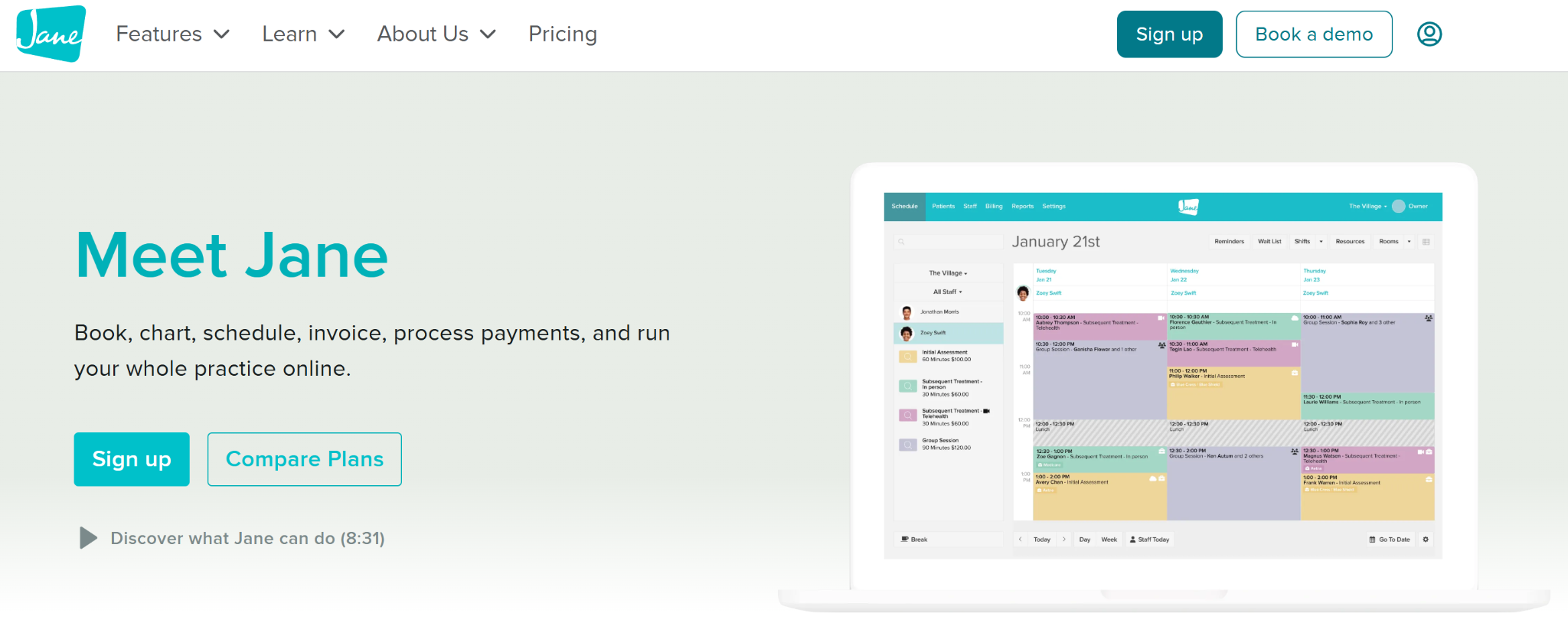
Jane is built for multidisciplinary health clinics, combining online booking, scheduling, charting, and insurance billing.
It is widely trusted by chiropractors for practice management and improving the patient experience. The software offers a community library of over 1,000 practitioner-created charting templates and an integrated AI Scribe.
Jane App's key features
- Comprehensive feature set, including branded online scheduling, communication, waitlist, and self-check-in
- Charting with a 10,000+ community chart-template library, customizable SOAP notes, billing codes in charts, and an AI Scribe voice-to-note add-on
- Integrated payments, invoicing, superbills, statements, and optional insurance billing. US e-claims support is limited compared to chiropractic-dedicated systems
- HIPAA, PIPEDA, and GDPR-compliant telehealth for 1:1 and group sessions, plus a secure patient portal and patient mobile app
Jane App's pros
- Clean, intuitive, and easy-to-learn interface with fast staff onboarding
- Consistently praised, responsive customer service
- Excellent branded online scheduling that reduces administrative tasks and no-shows
Jane App's cons
- Charting and documentation features can be less intuitive, as it is not a dedicated EHR software for chiropractors
- Billing and multi-location workflows are limited for larger or insurance-heavy practices
- Too many community templates can make it confusing when looking for something specific
Jane App's pricing
Jane uses a tiered subscription with per-practitioner charges. The base price includes the first practitioner and is charged per provider.
It has three pricing tiers. Balance starts at CAD $54 (US $39) per month with one practitioner license, capped at 20 appointments per month and email reminders only.
Practice at CAD $79 (US $56) per month and Thrive at CAD $99 (US $70) per month allow clinics to add more practitioners. The extra subscription fees depend on whether you have more than 10 full-time practitioners and the number of part-time practitioners.
5. ChiroHD
ChiroHD is best for: Multi-location and franchise chiropractic groups handling a large volume of clients.
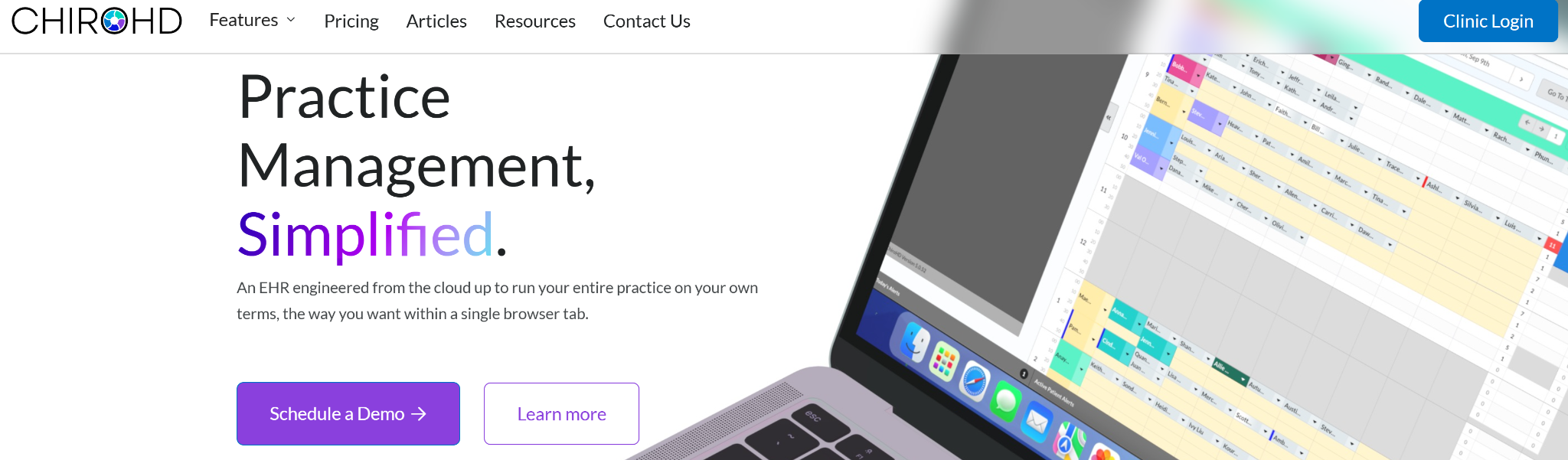
ChiroHD is another leading chiropractic EHR software in the market. One of its standout offerings is a dedicated patient app, which enables self-service. Your patients can check in, manage appointments, view X-rays, and engage with doctors.
The platform offers all the fundamental features that help with multi-office chiropractic workflows: scheduling, charting, enterprise billing, and practice growth.
ChiroHD's key features
- Modern cloud-based chiropractic platform with 30-second custom SOAP macros and care-plan tracking
- Drag-and-drop scheduling, bulk and bundled care-appointment scheduling, and real-time status updates
- Integrated billing and insurance through Fortis and Cash Practice Systems integrations
- Multi-location and franchise dashboards with cross-office reporting, conversion tracking, inventory management, and funneling analytics
ChiroHD's pros
- Clean and intuitive interface (praised by many practices in this regard)
- Fast, responsive customer support (4.9/5 support satisfaction cited) and constant product improvement
- Flat pricing with unlimited providers and users is a strong value for multi-provider and multi-location clinics
ChiroHD's cons
- Chiropractors have reported poor customer service when setting up the platform for their practice
- SOAP macros can be restrictive due to limited customizability in formatting
- Runs slowly on PCs for some users and has occasional note-formatting glitches
ChiroHD's pricing
ChiroHD uses a flat-rate subscription. The Standard Plan is $299 per month with unlimited providers and users, so adding chiropractors or admin staff won't affect price.
One-time fees include $799 for setup and onboarding and $499 for data migration when switching EHR systems.
6. ChiroSpring
ChiroSpring is best for: Chiropractors who want AI-driven clinical workflows and visual spine charting built into their SOAP notes.

ChiroSpring is an AI-powered chiropractic EHR platform with integrated scheduling, customizable compliance-driven charting, automated billing, and patient engagement tools.
The chiropractic practice management system has a visual "Advanced Spine" charting interface and AI-driven workflows that convert patient conversations into structured SOAP notes.
ChiroSpring's key features
- Customizable SOAP notes, macros, and templates come pre-loaded with chiropractic clinical content
- Advanced Spine is a visual spine chart inside SOAP notes to capture listings and findings from spinal adjustments, like laterality
- ChiroSpring AI add-on includes AI Scribe for conversation-to-note, AI Note Rewrite, AI Chart Summary, and AI Claims Assistant that predicts payment likelihood by CPT code
- Integrated billing and claims with an advanced claim scrubber and ERA center, treatment plans with estimator, household management, and memberships with recurring payments
ChiroSpring's pros
- Very reasonable pricing with many integrative features included in base packages.
- User-friendly, flexible, and customizable for both new and seasoned chiropractors.
- Responsive support and a team that actively implements user-requested updates.
ChiroSpring's cons
- Notes don't autosave while actively working on them
- Changing something in a patient note will also edit past notes rather than present and future notes only
- Add-ons, messaging overages, and claim fees raise total cost
ChiroSpring's pricing
ChiroSpring charges based on the number of providers. The 360 plan is $149 per month for one provider. The 360 Pro plan at $249 per month adds automatic claim creation, EDI download, online intake, kiosk, and memberships. The 360 Pro+ plan at $299 per month covers two providers and adds an advanced claim scrubber, ERA center, online scheduling, review requests, and messenger.
Add-ons include a Clearinghouse through Trizetto at $149 per month for 1,000 claims with ERA posting and insurance verification, GrowthHub engagement at $99 to $299 per month, and ChiroSpring AI at $49 per month.
7. Atlas Chiropractic System
Atlas Chiropractic System is best for: High-volume chiropractic clinics focused on patient flow and retention.
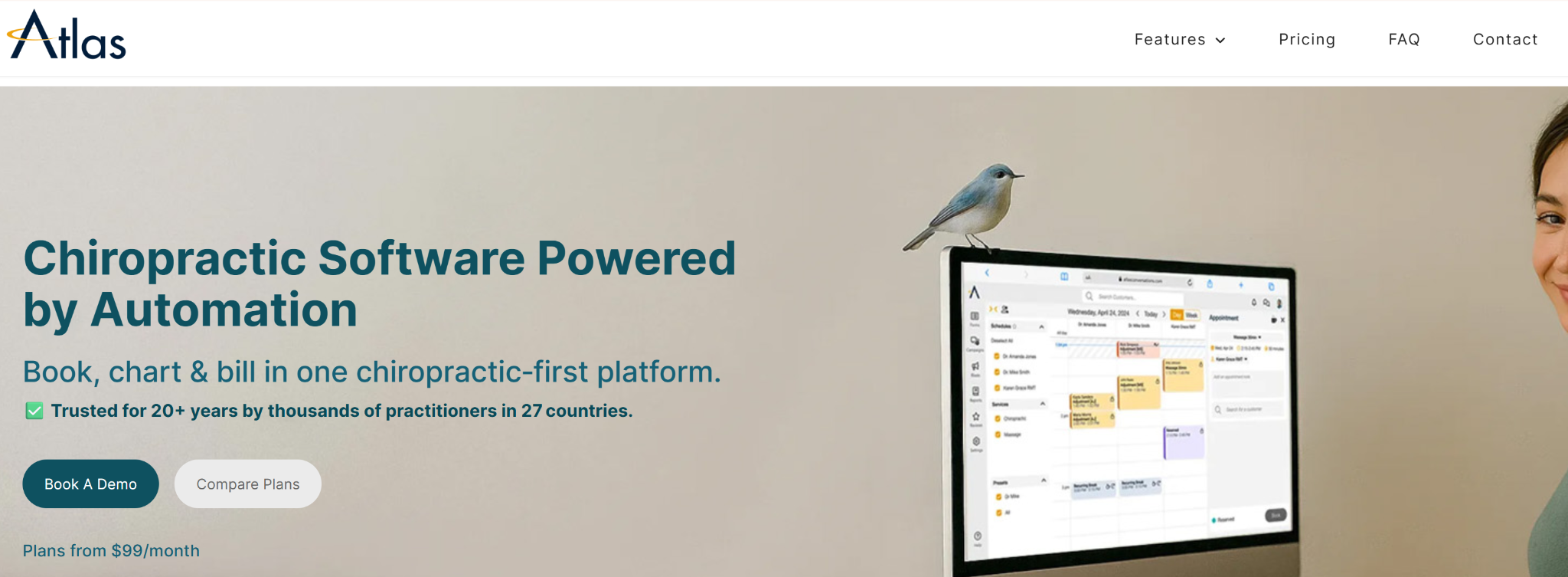
Atlas Chiropractic System helps busy DCs attend and provide care to more patients. It saves chiropractors time with its intuitive SOAP note-taker, automation, patient engagement, patient reactivation, and reputation management.
The practice management platform for DCs has a Patient Safety Net™ system to prevent patient dropout, which allows practitioners to follow up with patients and confirm bookings.
Atlas Chiropractic System's key features
- Paperless, chiropractic-specific system with fast SOAP and "Dot Notes" that support custom macros, care plans, auto-carry-forward, and instant charge posting
- Real-time room and table availability, patient self-check-in via kiosk or tablet, family and group check-ins, and automated queue and wait-list calling
- HD patient-education videos for subluxation education and a ChiroVMail follow-up email module, plus strong patient retention and reactivation campaign tools
- Insurance billing and payments through TELUS Health eClaims in Canada, clearinghouse EDI upload, and one-click invoice and payment posting
Atlas Chiropractic System's pros
- Purpose-built for chiropractic care that improves operational efficiency for high patient volume flow
- Reliable customer and tech support with strong onboarding
- Feature-rich with reminders, missed-appointment tracking, and CA-to-DR messaging
Atlas Chiropractic System's cons
- Dated look and color scheme, and some users want a more modern, cleaner UI
- Limited payment-partner and Canadian benefits integrations
Atlas Chiropractic System's pricing
Atlas uses a tiered monthly subscription with everything bundled in and no add-on modules except SMS credits.
The Essential plan is $99 per month for one provider, with each additional full license at $15 per month.
The Professional plan is $199 per month for two providers, with additional licenses at $20 per month. It also includes unlimited forms, a dedicated business phone with two-way texting, retention campaigns, and reviews, plus SMS and email marketing.
The Unlimited plan is $340 per month with unlimited providers and admin, and a dedicated account manager.
Why Eclipse is the best chiropractic EHR software
(Full disclaimer: It is our platform.)
Eclipse EHR software is built by and for chiropractors. The dedicated solution can be the best option for your clinic because of:
- Stability: Eclipse EHR started off as a Windows platform in 1985 and, in the following decades, has proven itself as one of the most reliable chiropractic EHR software solutions. The Eclipse Cloud EHR is no different in that regard, laying solid foundations for your practice.
- Ease of use: Chiropractors have little time to get the hang of complex tools with old interfaces. Eclipse EHR’s modern UI, combined with free 1:1 training during onboarding from the support team, makes adoption easier.
- Comprehensive but not bloated: It has all the capabilities you need to manage your chiropractic clinic and grow your practice, like the SOAP system and billing modules. At the same time, it doesn’t have anything you don’t need, like general EHR templates.
- Customer support: Eclipse EHR’s team is known for their proactive assistance when chiropractors need any help.
- Cost-effective: The core package with all the essential features is priced at $99. Additionally, Eclipse EHR doesn’t charge hefty onboarding fees.
Manage and grow your chiropractic practice with Eclipse EHR
You need a dedicated chiropractic EHR software, which is built by and for chiropractors, that has been proven in practice for decades.
Eclipse EHR fits that description. The chiropractic EHR software has been helping DCs run and grow their practices since 1985. Some clinics have trusted it for decades due to its comprehensive features and top-quality (rated 4.6) customer support.
Book a demo today to learn how Eclipse EHR can help you deliver better care to chiropractic patients.
Frequently asked questions about best chiropractic EHR software
1. What features should I look for in chiropractic EHR software?
Look for chiropractic-specific SOAP templates, macros for fast charting, integrated scheduling, insurance billing with clearinghouse support, patient communication tools, and reporting dashboards. Multi-location practices should prioritize real-time data sync, while smaller clinics benefit from AI documentation and automated appointment reminders to reduce administrative workload across daily operations.
2. How much does chiropractic EHR software cost?
Chiropractic EHR software typically costs between $99 and $340 per month, depending on features and practice size. You can consider comprehensive, chiropractic-specific EHR solutions like Eclipse EHR and Atlas. Additional costs may include setup and onboarding fees and any other add-ons.
3. Can chiropractic EHR software handle insurance billing and claims?
Yes, most chiropractic EHR platforms include integrated billing with electronic claim submission, ERA posting, eligibility verification, and clearinghouse connections. Tools like Eclipse EHR and ChiroSpring offer claim scrubbing and denial management features. Some platforms, like Eclipse EHR, bundle billing into base plans, while others charge separately as an optional add-on module.
4. How long does it take to implement chiropractic EHR software?
Implementation typically takes two to eight weeks, depending on practice size, data migration needs, and staff training requirements. Cloud-based platforms like ChiroFusion offer faster setup, while enterprise solutions like ChiroHD may need longer onboarding. Most vendors provide free training sessions and dedicated support during the entire transition process.
5. Does chiropractic EHR software support multi-location practices?
Yes, platforms like Eclipse EHR and ChiroTouch are built for multi-location chiropractic groups with capabilities like cross-office reporting and centralized scheduling. Here, it can be beneficial to opt for software that offers flat-rate pricing with unlimited providers if you're managing several clinics or planning to expand soon.
Related Blog Posts